
Ultimaker Releases New and Improved Cura 3.4 Beta
Ultimaker is releasing a new beta version of its popular slicing software. You can download Cura 3.4 from the company’s website. As always, the software is free.
When it comes to its popular 3D slicing software Cura, 3D printer manufacturer Ultimaker is known iterate fast. After releasing the latest stable version of the Cura 3.3.1 just some weeks ago, the company now released the Cura 3.4 beta into the wild. This big update introduces a number of new features and several improvements.
Here’s are some of the highlights:
- Slicing engine upgrades: Infill support, cross infill image, support wall line count.
- Better integration: Integration of Octoprint, Autodesk (i.e. Inventor, Blender), FreeCAD, and OpenSCAD projects.
- UX enhancements: Auto-select a 3D model after import, better filter timeout performance.
- Plugin updates: Toolbox for browsing plug-ins, Cura backups.
- Regular bugfixes.
You can download Cura 3.4 beta software here. Continue below for a more detailed view of the specifications of Cura 3.4 beta.
1. Slicing engine upgrades
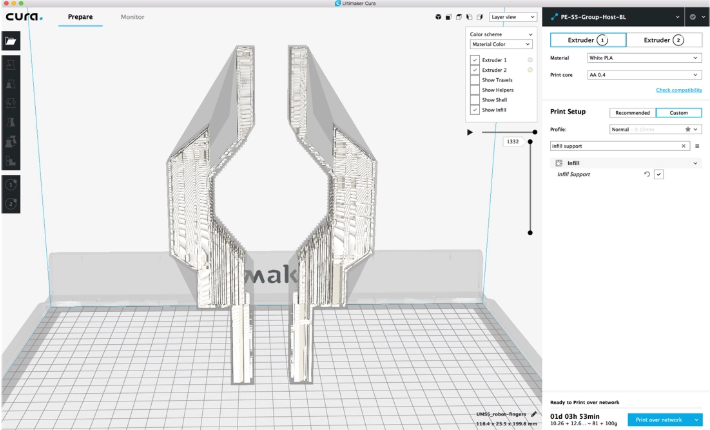
Infill support. If you enable this feature, the infill will be generated only where it is needed, using a specialized support generation algorithm for the internal support structures of a part.
2. Plugin updates
Toolbox. The plugin browser has been redesigned into the Toolbox, complete with graphical elements to give more information about available plugins.
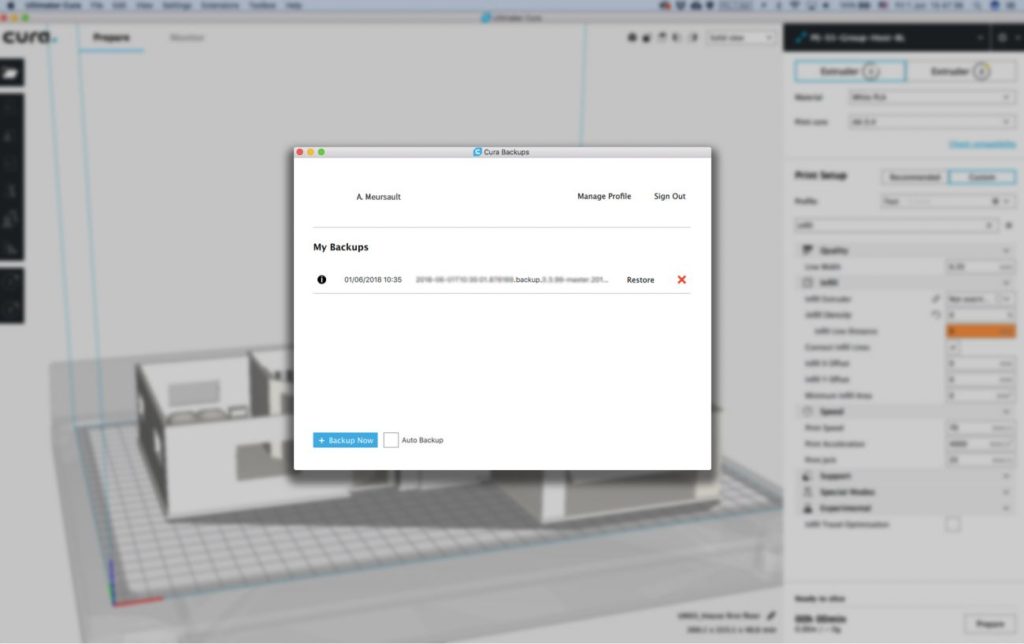
Cura Backups. When installed, this enables settings, materials, and plugins in Ultimaker Cura to be backed up to the cloud. Create an account on our secure server and keep your configuration settings handy, whether at home or in the office.
AutoDesk Inventor integration. Open AutoDesk inventor files (parts, assemblies, drawings) directly into Ultimaker Cura.
Blender integration. Open Blender files directly into Ultimaker Cura.
OpenSCAD integration. Open OpenSCAD files directly into Ultimaker Cura.
FreeCAD integration. Open FreeCAD files directly into Ultimaker Cura.
OctoPrint plugin. The new version of the OctoPrint plugin for Ultimaker Cura.
3. Third-party printers and stability fixes
New printer definitions. The list of pre-installed 3D printer profiles has been updated with the Felix Tec4 printer, Deltacomb, and Rigid3D Mucit.
This release includes a lot of bug fixes for stability and a better quality experience. Highlighted bug fixes are below:
Print job name reslice. Fixed behavior where print job name changes back to original name when reslicing.
Message box styling. Fixed bugs related to message box styling, such as the progress bar overlapping the button in the ‘Sending Data’ popup.
Curaproject naming. Fixed bug related to two “curaprojects” in the file name when saving a project.
Filament diameter line width. Adjusted filament diameter to calculate line width in the GCODE parser.
Korean translation. Fixed typos in Korean translation.
ARM/Mali systems. Fixed graphics pipeline for ARM/Mali systems.
Discard/keep. Fixed a bug where customized settings didn’t give a ‘discard or keep’ dialog when changing material.
Non-GCODE USB. Fixed a bug where the USB port doesn’t open if the printer doesn’t support GCODE.
Have 3D models to sell? FlatPyramid would help!